

If your phone is charging slowly, the most common reasons are an underpowered or incompatible charger, a damaged cable, excessive heat, a dirty charging port, heavy phone usage, charging settings, or an aging battery. Charging can also slow down normally when the battery gets closer to full.
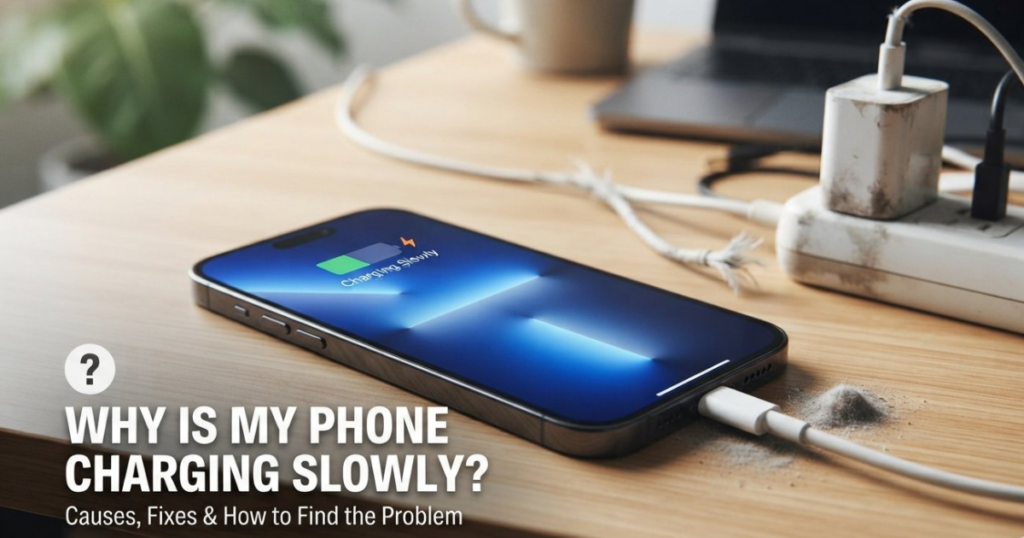
The quickest way to identify the problem is to try a compatible wall charger and cable, stop using the phone while it charges, let it cool down, and check the charging port for dust or moisture. If charging remains unusually slow with different accessories, the phone itself may need inspection.
Quick Fix: 5 Things to Check First
Before changing settings or buying a new charger, try these five checks:
- Try another compatible charging cable.
- Use a compatible wall charger instead of a laptop or PC USB port.
- Let the phone cool down if it feels hot.
- Inspect the charging port for dust, lint or moisture.
- Turn the screen off and avoid gaming or other demanding activities while charging.
If the phone starts charging normally after one of these tests, you have a strong clue about the cause.
How to Find the Cause of Slow Charging
Before replacing your charger or battery, look at when the phone charges slowly. The pattern can help identify the problem.
| What you notice | Likely cause |
| Slow charging with one particular cable | Damaged or low-quality cable |
| Slow charging with one charger but normal with another | Charger or compatibility issue |
| Charging becomes slow when the phone gets hot | Thermal protection |
| Charging is fast at first but slows near 80–100% | Normal charging behavior or battery protection |
| Slow charging from a laptop or PC | Lower-power USB connection |
| Cable feels loose or only works at an angle | Cable or charging-port problem |
| Wired charging is normal but wireless charging is slow | Wireless charging, alignment, case or heat |
| Phone suddenly became slow to charge | Accessory, software, temperature, port or hardware change |
This approach is more useful than immediately assuming that the battery is bad.
Normal vs Abnormal Slow Charging
Not every slow charging situation means there is a problem with your phone.
Slow charging can be normal when:
- The battery is already close to 80–100%.
- The phone becomes warm during charging.
- Battery protection or optimized charging is active.
- You are using wireless charging.
- The charger or power source is designed for lower charging speeds.
Slow charging is more concerning when:
- The phone suddenly became much slower than before.
- Charging is unusually slow even at a low battery percentage.
- Different compatible chargers and cables produce the same result.
- The cable repeatedly disconnects.
- The connector feels loose.
- The phone becomes excessively hot.
- Charging only works when the cable is held at a particular angle.
This distinction can prevent you from replacing a perfectly healthy battery simply because charging naturally slows near full capacity.
10 Reasons Your Phone May Be Charging Slowly
1. Your Charger Does Not Provide Enough Power
Not every charger supplies the power your phone needs for fast charging. A phone that supports fast charging may charge much more slowly when connected to a basic adapter.
Also, a 65W or 100W charger does not mean your phone will automatically charge at 65W or 100W. The phone, charger and cable need to support a compatible charging system, and the phone controls how much power it accepts.
If your phone previously charged quickly and suddenly does not, compare the current charger with the charger or adapter recommended for your model.
2. Your Charging Cable Is Damaged or Incompatible
The cable is just as important as the charging adapter.
A cable can look perfectly normal while its connector, wiring or power-handling capability has deteriorated. A loose connection, damaged insulation, corrosion or poor-quality cable can result in slow or intermittent charging.
Try a known-good, compatible cable. If charging speed immediately improves, the cable was likely the bottleneck.
For USB-C phones, also make sure the cable is appropriate for the charging power your phone and charger are designed to use.
3. Fast Charging May Be Disabled
Some phones have a setting that controls fast charging. If it is turned off, the phone may continue charging but at a lower rate.
For example, supported Samsung Galaxy models provide charging settings for fast charging and fast wireless charging. Samsung also notes that the exact menu names can vary by model and software version.
On other Android phones, the setting and name may be different. Look under Settings → Battery or Battery & device care for charging-related options.
Do not assume that every phone has a manual fast-charging switch, however. On some devices, fast charging is managed automatically.
4. Your Phone Is Too Hot
Heat is one of the most important reasons charging speed can decrease.
Modern phones monitor temperature and can reduce charging power when the device becomes too hot. This is a protective behavior rather than necessarily a fault.
Gaming, video recording, navigation, hotspot use, high screen brightness and demanding apps can generate additional heat while the phone is charging.
If the phone feels unusually hot:
- Stop demanding apps or games.
- Disconnect the charger if the device becomes excessively hot.
- Let the phone cool naturally.
- Keep it away from direct sunlight and enclosed hot spaces.
- Resume charging after it returns to a normal temperature.
Do not deliberately cool a hot phone with extreme methods such as putting it in a refrigerator or freezer.
5. You Are Using the Phone While Charging
Watching videos, gaming, browsing, using navigation or running other demanding apps consumes power while the phone is trying to charge.
In some situations, the phone can consume power almost as quickly as it receives it. This makes the battery percentage rise slowly even though the charger is working.
For faster charging, leave the screen off and avoid intensive tasks until the battery reaches the level you need.
6. Dust, Lint or Debris Is Blocking the Charging Port
A dirty USB-C or Lightning port can prevent the connector from making proper contact.
Pocket lint and dust can accumulate inside the port over time. You may notice that the cable no longer fits firmly or charging starts and stops when the cable moves.
Turn the phone off and inspect the port in good lighting. If you can see debris, follow your phone manufacturer’s cleaning guidance. Avoid pushing sharp metal objects deep into the port, as this can damage the contacts.
Moisture is a different situation. If the phone displays a moisture warning, do not continue charging through the port. Allow the port to dry according to the manufacturer’s instructions.
7. You Are Charging From a Laptop or Low-Power USB Port
Charging from a computer can be convenient, but it may be slower than using an appropriate wall adapter.
USB ports on laptops and PCs can provide less power than a suitable phone charger. If you need the fastest practical charging speed, use a compatible wall charger rather than relying on a computer’s USB port.
8. Battery Protection or Charging Optimization Is Limiting Charging
Some phones intentionally change their charging behavior to help manage battery aging or overnight charging.
Depending on the device, you may see features such as:
- Battery protection
- Optimized charging
- Adaptive charging
- Charging limit
- Protect battery
These features can restrict charging at certain battery levels or times. That does not necessarily mean the charger or battery is faulty.
If the phone consistently behaves differently around a particular battery percentage, check its battery and charging settings before assuming there is a hardware problem.
9. Charging Naturally Slows Near 80–100%
One of the most misunderstood charging behaviors is the reduction in charging speed as the battery gets closer to full.
A phone does not necessarily maintain its maximum charging power from 0% to 100%. Charging management can reduce power as the battery level rises and temperature or battery-protection considerations become more important.
Therefore, charging slowly after 80% is not automatically a sign that something is wrong.
The more useful question is whether the phone is unusually slow during the lower part of the charge as well.
For example, if your phone charges normally from 20% to 70% but becomes progressively slower afterward, that can be normal. If it takes an unusually long time even to move from 20% to 30%, investigate the charger, cable, temperature, port and battery.
10. The Battery or Charging Hardware May Be Aging
If you have ruled out the charger, cable, temperature, settings and charging port, the phone itself may be responsible.
An aging battery can lose capacity and change charging behavior. A damaged charging port or other internal charging hardware can also cause slow, intermittent or unreliable charging.
This becomes more likely when slow charging is accompanied by other symptoms such as:
- Charging repeatedly disconnects.
- The cable feels unusually loose.
- The phone becomes excessively hot.
- The battery drains unusually quickly.
- Charging remains slow with multiple known-good chargers and cables.
- The phone has suffered physical or liquid damage.
At that point, professional inspection is more appropriate than repeatedly buying new cables and adapters.
Why Is My Phone Charging Slowly Even With a Fast Charger?
A fast charger alone does not guarantee fast charging.
Actual charging speed depends on the complete charging system:
Phone + charger + cable + charging protocol + temperature + battery level + charging settings
For example, a phone may support a particular fast-charging standard while the connected adapter or cable does not provide the required combination of power and protocol.
Why Charger Wattage Does Not Equal Charging Speed
Think of charging as a chain:
| Component | What determines charging speed? |
| Phone | Maximum supported charging power |
| Charger | Available wattage and charging protocol |
| Cable | Power-handling capability and compatibility |
| Charging protocol | Determines how the phone and charger communicate |
| Temperature | Excessive heat can reduce charging power |
| Battery level | Charging often slows as the battery approaches full |
| Software/settings | Protection and optimization can alter charging behavior |
So, if you purchase a 100W charger for a phone that accepts substantially less power, the phone will not suddenly charge at 100W.
The charger provides available power; the phone decides how much power it can safely accept.
Why Is My Phone Charging Slowly All of a Sudden?
A sudden change is more useful diagnostically than slow charging that has always been present.
Think about what changed immediately before the problem appeared.
New charger or cable?
Test the previous known-good accessory.
Phone became hot?
Let it cool and try again.
Software update recently installed?
Restart the phone and check whether charging settings or background activity changed.
Phone was exposed to water or humidity?
Check for a moisture warning and allow the port to dry according to the manufacturer’s instructions.
Cable feels loose?
Inspect the port and cable.
Problem occurs with every charger?
The phone’s port, battery or charging hardware may need inspection.
This process is much faster than replacing every component at once.
How to Test Whether the Charger, Cable, Port or Battery Is the Problem
You can narrow down the cause without immediately taking the phone for repair.
Test 1: Change the cable
Use a known-good compatible cable with the same charger.
If charging becomes faster, the original cable is likely responsible.
Test 2: Change the charger
Use a known-good compatible wall charger.
If the phone charges normally, the original adapter may be underpowered, incompatible or damaged.
Test 3: Change the power source
Compare a wall outlet with a laptop, PC or power bank.
If charging is significantly faster from the wall charger, the original power source may simply provide less power.
Test 4: Let the phone cool
Stop demanding apps and allow the phone to return to a normal temperature.
If charging speed improves afterward, heat was probably limiting charging power.
Test 5: Check the port
Look for dust, lint, moisture, corrosion or a loose connection.
If charging repeatedly disconnects when the cable moves, have the port inspected rather than forcing the connector.
Test 6: Check battery behavior
If the phone remains slow with multiple compatible chargers and cables, especially at low battery levels, the battery or charging hardware may require professional testing.
How to Make Your Phone Charge Faster
For normal wired charging, start with the simplest fixes:
- Use a compatible wall charger rather than a laptop USB port.
- Use a good-quality cable suitable for your phone’s charging requirements.
- Make sure fast charging is enabled if your phone provides that option.
- Stop gaming or running demanding apps while charging.
- Keep the phone at a comfortable temperature.
- Inspect the charging port for dust, lint or moisture.
- Check battery protection and charging optimization settings.
- Test another known-good charger and cable if the problem continues.
You do not need to close every background app, disable every wireless connection or use questionable third-party “battery booster” apps to make a phone charge properly.
Why Can Hot Indian Weather Make Charging Slower?
High ambient temperatures can make charging more difficult because the phone has less opportunity to dissipate heat.
This can be especially noticeable when charging:
- In direct sunlight
- Inside a parked car
- Outdoors during very hot weather
- While gaming or using navigation
- With demanding apps running in the background
If your phone charges normally indoors but becomes noticeably slower in a hot environment, temperature may be the main reason.
Move the phone to a cooler location away from direct sunlight and let it return to a normal temperature before charging again.
Never cover a hot phone with blankets or other materials that prevent heat from escaping.
Why Is Wireless Charging Slower?
Wireless charging can be slower than wired charging, and charging performance can change with alignment, temperature, the charging pad, accessories and the phone case.
If wireless charging suddenly becomes much slower, check whether the phone is correctly positioned on the charging pad and whether anything is between the phone and charger.
Thicker cases can also affect wireless charging on some devices.
If your phone supports both wired and wireless charging, testing a compatible wired charger is a useful diagnostic step. If wired charging is normal but wireless charging remains slow, the wireless setup is more likely to be responsible.
How Long Should a Phone Take to Charge?
There is no single charging time that is considered normal for every phone.
Charging time depends on:
- Battery capacity
- Maximum charging power
- Charger and cable compatibility
- Charging protocol
- Battery percentage
- Temperature
- Phone usage
- Battery condition
- Charging protection features
A phone with a large battery and moderate charging support can naturally take longer than a phone with a smaller battery and higher supported charging power.
Instead of comparing your phone with another model, compare its current performance with its normal charging behavior using the same compatible accessories.
A sudden change is usually more informative than the absolute number of minutes.
When Should You Replace the Charger or Cable?
Replace a cable or charger when it is visibly damaged, repeatedly disconnects, becomes unusually hot, or causes inconsistent charging.
Do not continue using a charger or cable with exposed wires, damaged insulation, bent connectors or signs of overheating.
If a new, compatible charger and cable do not improve charging, buying more accessories may not solve the problem. The charging port, battery or internal hardware could be responsible.
When Is Slow Charging a Sign of a Bigger Problem?
Slow charging deserves professional attention when it continues after you’ve tested a compatible charger and cable and the phone is at a normal temperature.
Get the device checked if you notice excessive heat, a swollen battery, burning smell, liquid damage, a damaged charging port, repeated charging interruptions or physical damage.
Do not attempt to open a swollen or damaged phone battery yourself.
Frequently Asked Questions
Is it normal for a phone to charge slowly after 80%?
Yes. Charging can naturally slow as the battery approaches a high charge level, and battery-protection features can also affect charging behavior. Slow charging near full capacity is not necessarily a fault.
Does using my phone while charging make it charge slower?
It can. Gaming, video playback, navigation and other demanding activities consume power and generate heat while the phone is charging, which can reduce the effective charging rate.
Can a bad cable cause slow charging?
Yes. A damaged, poorly connected or incompatible cable can reduce charging performance or cause charging interruptions. Testing with a known-good compatible cable is one of the easiest ways to identify the problem.
Can dust in the charging port cause slow charging?
Yes. Dust, lint and other debris can prevent the connector from making proper contact with the charging terminals. Inspect the port carefully and clean it only using a safe method recommended for your phone.
Does a higher-watt charger always charge a phone faster?
No. The phone determines how much power it can accept, and the charger, cable and charging protocol must be compatible. A higher wattage rating on the adapter alone does not guarantee a higher charging speed.
Why does my phone charge slowly from a laptop?
Laptop and PC USB ports may provide less power than a suitable wall charger, so charging can take longer.
Why does my phone charge slowly from a power bank?
A power bank may charge slowly if its output is too low, its charging protocol is not compatible with the phone, or the cable cannot support the required power. Check the power bank’s output specifications and compare them with your phone’s charging requirements.
Why is my phone charging slowly after a software update?
A software update can sometimes change charging settings, battery optimization or background activity. Restart the phone, check charging-related settings and monitor whether the problem continues. If slow charging persists with known-good accessories, investigate hardware and temperature as well.
Should I replace my battery if my phone charges slowly?
Not immediately. First test a compatible charger and cable, check the charging port, eliminate excessive heat and review charging settings. If the problem continues across different accessories, the battery or charging hardware may need professional testing.
Can fast charging damage my phone battery?
Fast charging itself does not automatically mean that your battery will be damaged. Modern phones use charging management and temperature controls to regulate power. However, heat, battery age and charging conditions can affect long-term battery health.
The Bottom Line
If your phone is charging slowly, do not assume the battery is the problem. Start with the charger and cable, then check the charging port, temperature, phone usage and charging settings.
If charging is only slow near 80–100%, it may be normal. If the phone suddenly became slow from low battery levels and remains slow with known-good accessories, the problem is more likely to involve the port, battery, software or charging hardware.
The fastest troubleshooting path is simple: use a compatible wall charger and cable, let the phone cool, stop demanding apps, inspect the port, and compare the charging behavior again.
If the problem persists or the phone becomes unusually hot, swollen, damaged or affected by liquid, stop treating it as a simple charging-speed issue and have the device professionally inspected.